
Crucial BX500 500GB SSD Review
Instant upgrade — Swap your HDD for the Crucial BX500 500GB SSD to make slow PCs and laptops feel noticeably faster.
Form factor — Standard 2.5‑inch SATA drive that fits most notebooks and desktops.
Performance boost — Faster boot, quicker app loads, and snappier everyday responsiveness.
Battery-friendly — Lower power draw improves laptop battery life.
Budget-friendly — One of the cheapest ways to extend an older machine’s usable life.
Easy install — Simple plug‑and‑play upgrade for non‑technical users.
Best use case — Ideal for students, remote workers, casual gamers, and anyone needing a cost‑effective speed boost.
Not for heavy workloads—choose an NVMe drive or Crucial MX500 if you edit video or move large files frequently.
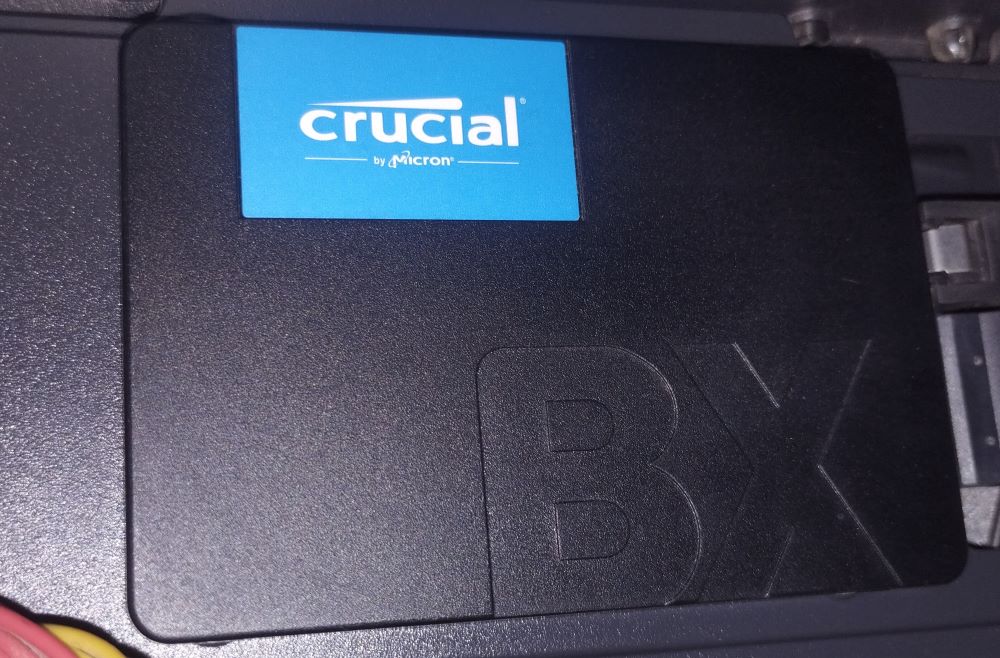
| Feature | Details |
| Form Factor | 2.5-inch (7mm height) |
| Interface | SATA III (6 Gb/s) |
| Capacity | 500GB |
| NAND Type | Micron 3D TLC NAND |
| Sequential Read Speed | Up to 550 MB/s |
| Sequential Write Speed | Up to 500 MB/s |
| Endurance (TBW) | ~120 TBW (approximate for 500GB model) |
| MTTF (Mean Time to Failure) | 1.5 million hours |
| Operating Temperature | 0°C to 70°C |
| Power Consumption | Active: ~3W, Idle: ~45 mW (very power efficient) |
| Encryption | No hardware encryption (unlike Crucial MX series) |
| Warranty | 3 years limited warranty |
What You Get Under the Hood:
- Capacity: 500GB – plenty of room for Windows, your apps, and a healthy library of games or media.
- Speed: Up to 550 MB/s read and 500 MB/s write. In real terms, that means your system boots in seconds and apps open almost instantly compared to a spinning HDD.
- NAND Type: Micron’s 3D TLC NAND – proven, reliable technology.
- Endurance: Around 120TB of writes, which is more than enough for everyday home or office use.
- Warranty: 3 years.
Performance in Everyday Use:
The BX500 feels like flipping a switch from sluggish to snappy. It’s not the fastest SSD on the market, but for daily computing, it delivers a noticeable and satisfying boost.
Boot & Load Times
- Windows boots in 10–15 seconds.
- Apps like Chrome, Word, or Photoshop launch almost instantly.
- Games load faster, though not as lightning‑quick as NVMe drives.
File Transfers
- Small to medium files (documents, photos, music) transfer quickly and smoothly.
- Large files (20GB+) can slow down once the SLC cache fills up — a common trait of DRAM‑less SSDs.
- Still far ahead of HDDs in both speed and consistency.
Multitasking & Responsiveness
- Switching between apps and juggling multiple browser tabs feels fluid.
- No lag or stutter during normal use — ideal for office work, browsing, and streaming.
Power Efficiency
- Very low power draw, especially when idle — great for laptops.
- Runs cool and silent, with no moving parts to worry about.
Pros
- Very affordable upgrade
- Huge speed jump over HDDs
- Runs cool and uses little power (perfect for laptops)
- Easy installation with Crucial’s free cloning software
Cons
- No DRAM cache, so not ideal for heavy workloads
- Lower endurance than higher‑end SSDs
- No built‑in encryption
Who is ideal for
Everyday users — web browsing, email, streaming, and office apps for noticeably faster responsiveness.
Students and remote workers — quick boot and app load times on a tight budget.
Laptop upgraders — breathe new life into older notebooks with improved battery life and snappier performance.
Casual gamers — faster game load times for non‑competitive or single‑player titles.
Home office PCs — reliable everyday performance for document work and video calls.
Media playback systems — smooth playback for movies and music without high transfer demands.
Secondary storage for backups — affordable option for storing less frequently accessed files.
Budget-conscious buyers — best value when cost matters more than peak speed or advanced features.
Owners of older SATA systems — compatible with legacy hardware that doesn’t support NVMe.
Not ideal for — video editors, power users, or anyone needing sustained high I/O; choose Crucial MX500 or an NVMe drive instead.
Bottom Line
The Crucial BX500 500GB delivers fast, reliable performance for everyday tasks. While it’s not designed for heavy‑duty editing, it provides exactly what most users need: quick boot times, smooth daily performance, and the backing of a trusted brand. Overall, it’s a smart, cost‑effective upgrade that makes a tired system feel fresh again.